🐠 Golden Ratio Aquascape Calculator
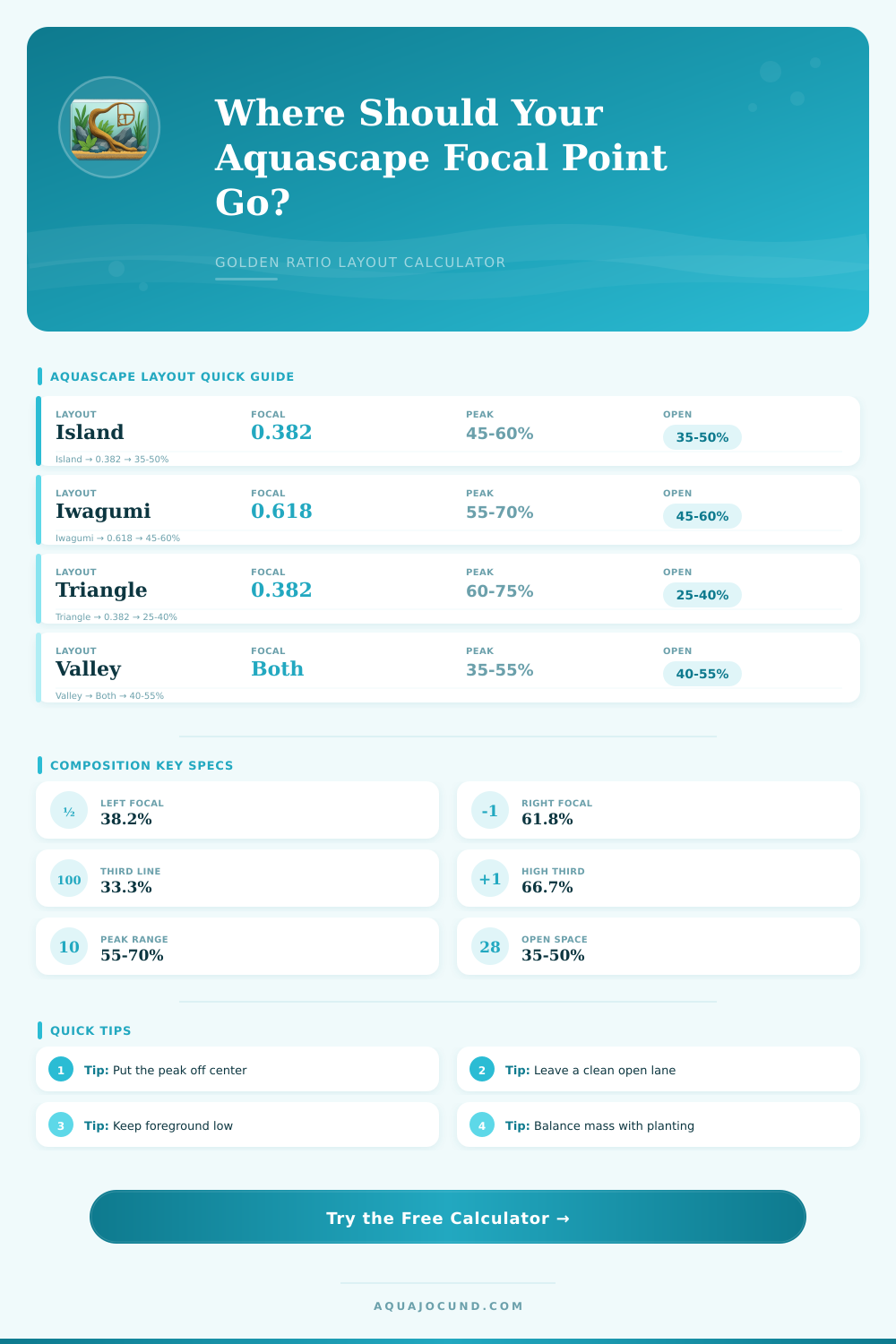
Place the main focal point at 0.382 or 0.618 of the front glass, size hardscape height, check thirds, tune negative space, and score visual balance.
| Line | Position | Best use | Composition note |
|---|---|---|---|
| Left golden line | 0.382 x width | Main stone, root base, open path edge | Feels natural because it avoids exact center while staying close enough to dominate. |
| Right golden line | 0.618 x width | Primary focal point or high wood fork | Works well when foreground flow enters from the left and resolves to the right. |
| Lower third | 0.333 x height | Foreground carpet, low mound, sand river | Keep the first third calm when the hardscape peak is tall or complex. |
| Upper third | 0.667 x height | Stone tip, branch end, tall stem line | Peaks near this line read strong without crowding the water surface. |
| Layout | Ideal focal | Peak height | Negative space | Balance behavior |
|---|---|---|---|---|
| Island mound | 0.382 or 0.618 | 45-60% | 35-50% | Central mass is softened by off-center peak placement and open perimeter water. |
| Iwagumi stone group | 0.618 common | 55-70% | 45-60% | The largest stone carries most visual weight, so empty foreground is important. |
| Triangle slope | High side focal | 60-75% | 25-40% | Strong diagonal flow needs enough low-side breathing room to avoid a wall effect. |
| Valley pathway | Dual shoulders | 35-55% | 40-55% | Left and right masses frame a central or diagonal path into the distance. |
| Concave nature | Either shoulder | 45-65% | 35-50% | Two plant banks can balance if one side remains clearly dominant. |
| Dutch stem tiers | Color group line | 50-70% | 20-35% | Plant color and leaf texture replace stone mass, so spacing must stay deliberate. |
| Diagonal driftwood | Root or branch fork | 55-75% | 30-45% | Branch direction should lead toward the focal line rather than out of the tank. |
| Tank | Dimensions | Left focal | Right focal | Typical peak |
|---|---|---|---|---|
| 10 gallon | 20 x 10 x 12 in / 51 x 25 x 30 cm | 7.6 in / 19 cm | 12.4 in / 31 cm | 7-8 in / 18-20 cm |
| 20 long | 30 x 12 x 12 in / 76 x 30 x 30 cm | 11.5 in / 29 cm | 18.5 in / 47 cm | 7-8 in / 18-20 cm |
| 40 breeder | 36 x 18 x 16 in / 91 x 46 x 41 cm | 13.8 in / 35 cm | 22.2 in / 56 cm | 9-11 in / 23-28 cm |
| 60P style | 24 x 12 x 14 in / 60 x 30 x 36 cm | 9.2 in / 23 cm | 14.8 in / 38 cm | 8-10 in / 20-25 cm |
| 75 gallon | 48 x 18 x 21 in / 122 x 46 x 53 cm | 18.3 in / 47 cm | 29.7 in / 75 cm | 12-15 in / 30-38 cm |
| 120 gallon | 48 x 24 x 24 in / 122 x 61 x 61 cm | 18.3 in / 47 cm | 29.7 in / 75 cm | 14-17 in / 36-43 cm |
The golden ratio is a method of dividing the space so that the point of interest is slightly off center. The golden ratio isnt magic but is a tool used to create layouts that feel more natural to the viewer than those that are perfectly divided down the middle of the tank. Using a golden ratio calculator, you can translate the mathematical concept of the golden ratio into numbers that can be used when creating your desired aquarium layout.
To utilize the golden ratio calculator, the user must first enter the measurement of their tank into the calculator. The user must also choose a layout and the focal side of the aquarium. For example, an island mound layout is different from a triangle slope layout because the focal side can change the way that the visual weight of each area of the aquarium is distributed.
How to Use the Golden Ratio to Plan Your Aquarium
Additionally, the user must select the type of hardscape that will be used in the aquarium and the level of plant density that will be placed into the tank. Dense plants or woods will impact the weight of the aquarium layout in the same way that dense stems will impact the layout of an actual livig organism. The number that are output from the calculator should be read together to understand the entire layout of the aquarium.
The distance that is indicated is the distance that the main stone or main branch should be from the front glass of the aquarium. The peak height is the height that the tallest element of the hardscape should reach in relation to the height of the water column. The negative space is the amount of open space within the aquarium that should remain empty to avoid making the hardscape within the tank feel too crowded.
The balance score is the combination of each of these variable; a high score indicate that the layout of the tank follows the parameters of the chosen layout style, whereas a score that is too low indicates that adjustments should be made to the aquarium. Although many may treat the golden ratio lines as unbreakable rules, they are merely starting suggestions for those creating an aquarium layout. The golden ratio lines were established to ensure that viewers of the aquarium could not focus on the middle of the tank.
By placing the main point of interest at two-fifths of the way along the tank or three-fifths of the way from the front glass, the remaining portion of the aquarium will be seen as active rather than empty. This same principle can be applied to the height of the hardscape in the aquarium. A peak that lands near the upper third of the glass will provide the layout with a sense of lift, but the peak will also allow the layout to avoid pressing against the water surface.
The calculator perform these calculations to save you the effort of having to do the math by hand. The slope and depth of the substrate can also impact the way in which the audience views the layout. If the substrate slopes steeply from front to back of the tank, it will make the aquarium appear more deep than it may otherwise look.
Such a slope can also impact the path of the viewers eyes across the layout. The visual mass bias feature of the calculator can help you account for a heavy piece of hardscape that is not positioned along the focal line. For instance, if you place a heavy piece of wood along the opposite side of the tank from the focal line, the viewers eyes will travel between the two centers of interest in the aquarium.
The calculator will alert you to such a potential issue so that you can decide whether to move the wood or to accept the tension in the layout. One of the most common mistake in designing a reef aquarium is to fill in every open area of the tank with plants as the designer intends to avoid leaving any empty areas within the display. Such an approach to designing a reef aquarium can create an imbalance in the layout.
The concept of negative space within a reef aquarium should not be disregarded, as it is an essential component of creating a visually appealing display. The calculator can help you determine the percentage of negative space that your reef aquarium layout should feature based on the layout design that you choose. For example, while it may be common to densely plant the background of the tank, it is important to leave the main viewing lane of the tank clear of any plants.
This helps to even out the visual impact of the tall hardscape with the foreground of the aquarium so that it dont appear as if the aquarium is too topheavy. The proportions of the aquarium will also impact the way in which the layout is to function within the tank. For instance, a long and shallow reef aquarium will allow the designer to feature a diagonal in the layout of the tank.
In contrast, a reef aquarium that is in the shape of a cube will limit the designer to creating a layout that is both wide and deep. The calculator will calculate the layout based on the front width of the tank, which is the same dimension that will be visible to viewers of the reef aquarium. The main value of the calculator is that it allows you to test out various aspect of the reef aquarium prior to placing any stones into the substrate.
The calculator will allow you to test whether increasing the height of the peak will lower the balance score of the reef aquarium, or whether shifting the focal line will even out the visual mass of elements in the tank. These feature save time for reef aquarium designers since the decisions that are made with the calculator will allow you to avoid filling the reef aquarium with substrate and hardscape once it has been filled with water. The goal of creating a visually appealing reef aquarium is not to hit every number that the calculator calculates, but rather in understanding why one arrangement of elements within the tank is visually appealing to the viewer, as compared to another arrangement of elements.